Account & Website Guide
Log In to Your Account
There are two types of accounts. Please review whether you are an individual or a business to follow the correct steps.
For Standard Users:
Create a New Personal Account
Only use these steps if you are an individual customer or not associated with a Gems Company Account.
Step 1: Visit the Portal
Go to https://gemssensors.com/login.
Step 2: Start Registration
Select Create Account.
Step 3: Enter Your Information
Provide your name, current email address, and set a password.
Step 4: Log In
Once registered, sign in to explore the new and improved Gems platform.
Note: Because this is an upgraded site, all individual users must re-register once, even if you had an account on the previous website.
For Organization Account Users:
Connect to Your Organization Account
Access for company users is invite-only to maintain security and ensure correct account setup.
Step 1: Contact Your Company Administrator
Reach out to the admin assigned to manage your organization’s Gems Sensors Account.
Step 2: Request an Invite
Your Company Admin will add you to the company account and assign your user roles.
Step 3: Check Your Email
You will receive an automated registration invitation. Follow the unique link provided to activate your access and reset your password for first-time login.
Step 4: Access Your Dashboard
Once activated, you’ll have full access to your organization’s pricing, permissions, and account tools.
Important Guidelines for Organization Account User
New Tools. Faster Results.
Search intelligently, configure exact part numbers, and reorder quickly—all from one account.
Search Without Limits
Find parts, specifications, and files—all from one powerful search.
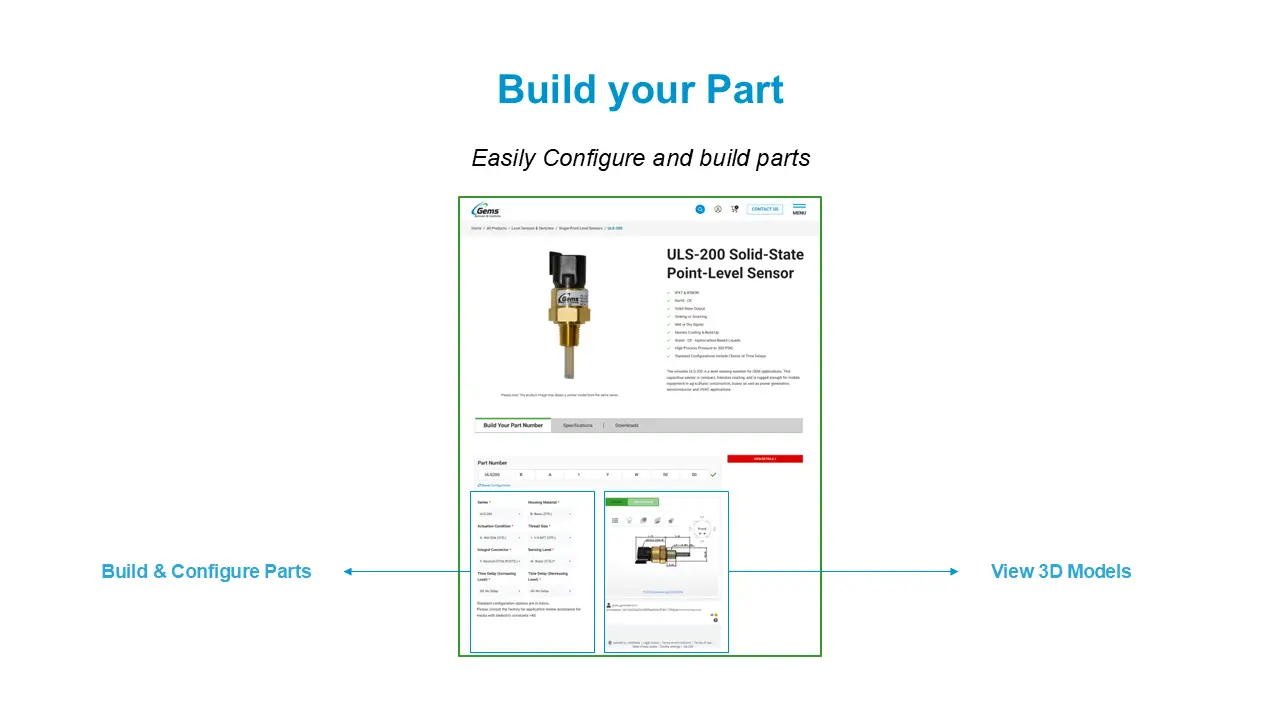
Configure & View Complete Part Details
Build your exact part with confidence—before you order.
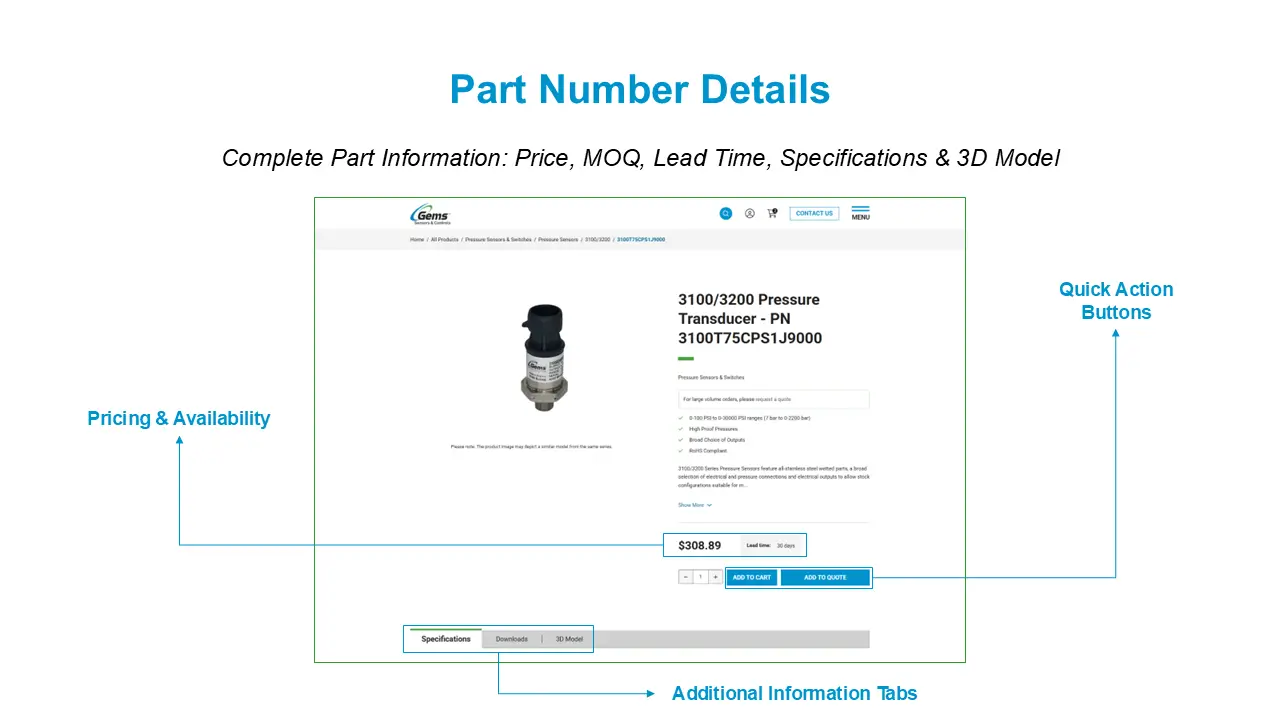
- Configure exact specifications before ordering
- Instantly view price, MOQ, and lead time
- Download specifications and technical files
- Access 3D models and additional resources
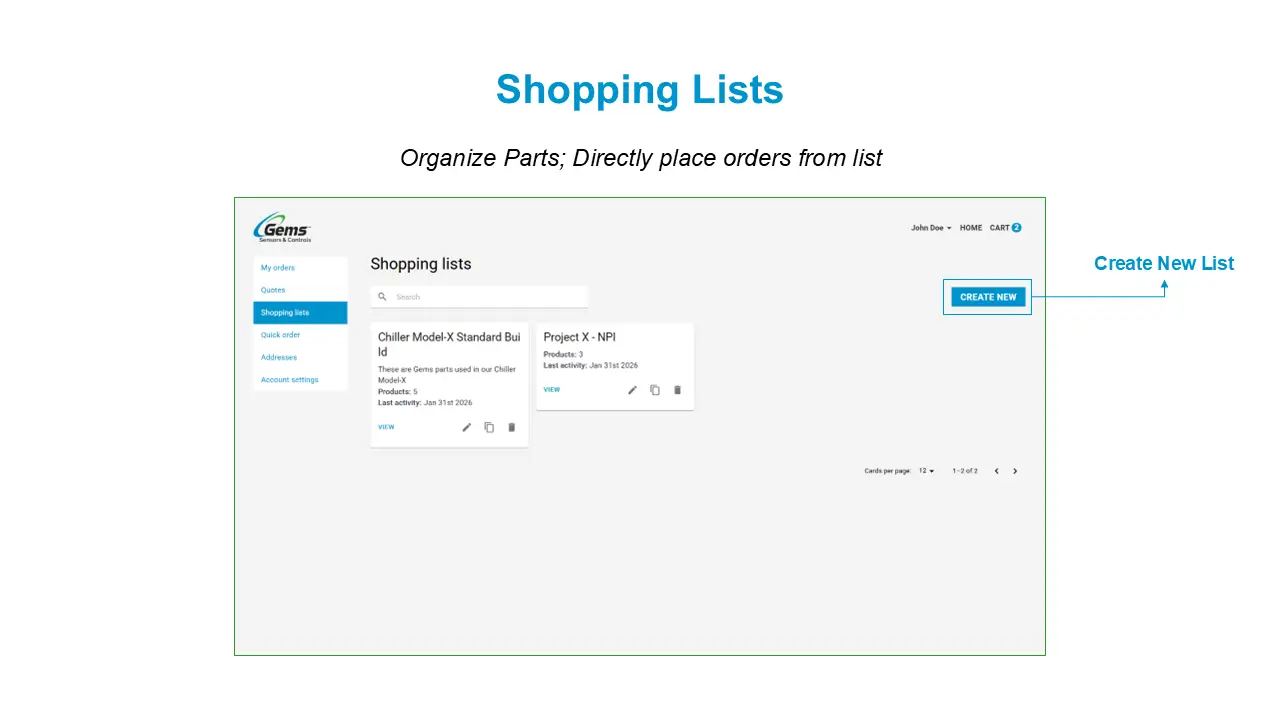
A More Efficient Way to Order
Order again in seconds with smarter tools.
- Reorder directly from past purchases
- Add multiple part numbers at once
- Save frequently used parts to Shopping Lists
- Create multiple lists by project or team
Quick Order in Just 3 Steps
Go from login to cart in seconds with custom part-number search and instant add-to-cart.
Fast Checkout, Flexible Options
Select how you pay and how you ship with easy, streamlined choices.
- Pay on account or by credit card
- Dropship or ship to saved addresses with your preferred method
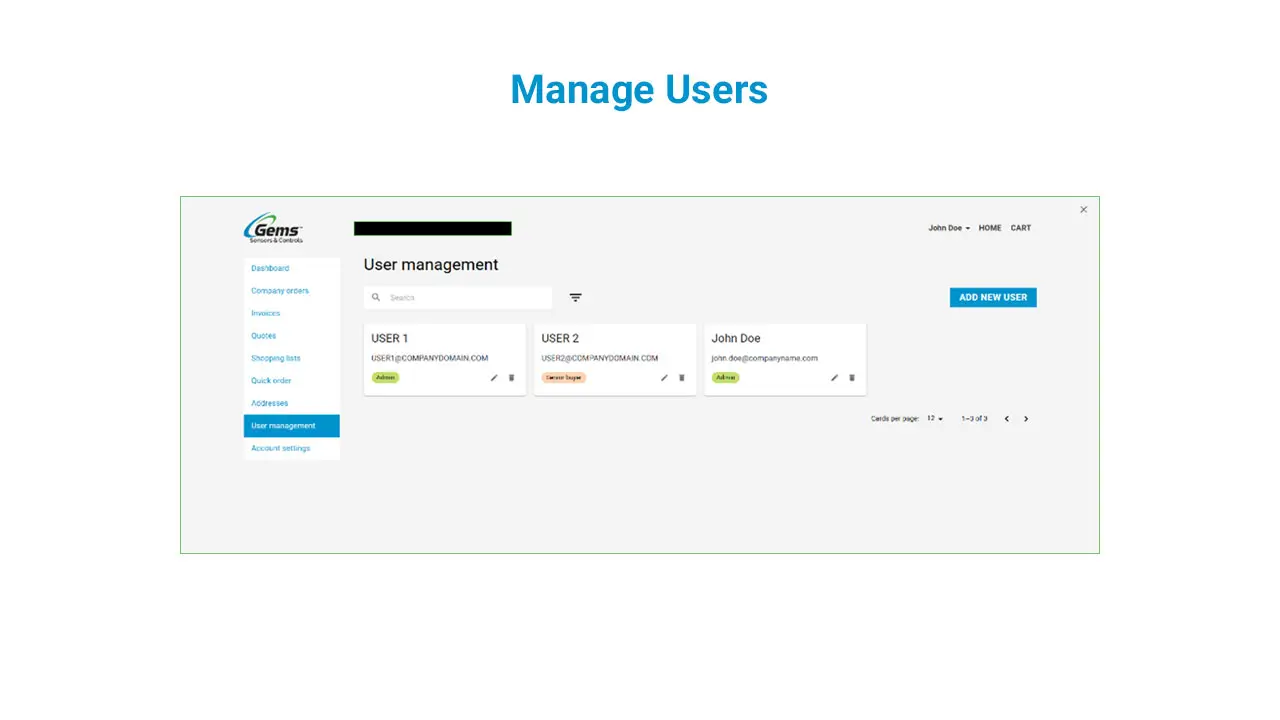
Stay in Control of Your Team
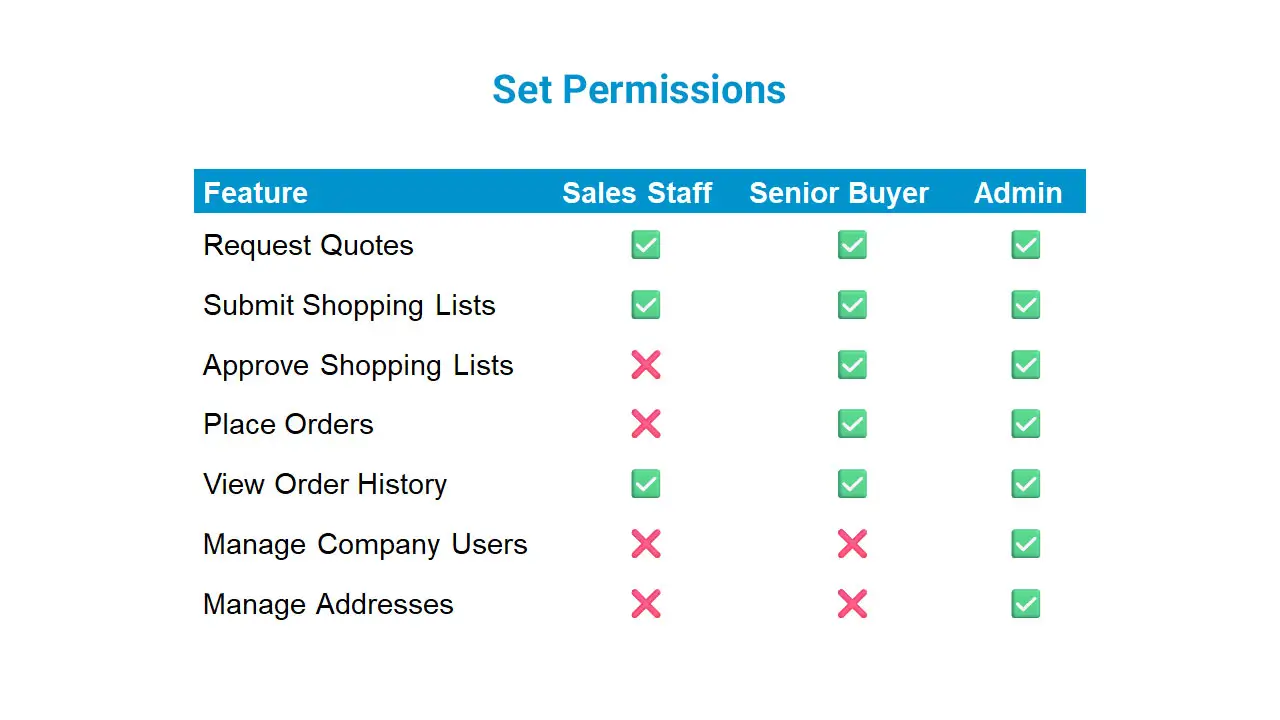
Easily manage users, assign permissions, and ensure the right access for every role.
- Manage users within your organization on your account
- Set permissions by role (sales staff, senior buyer, or administrator)
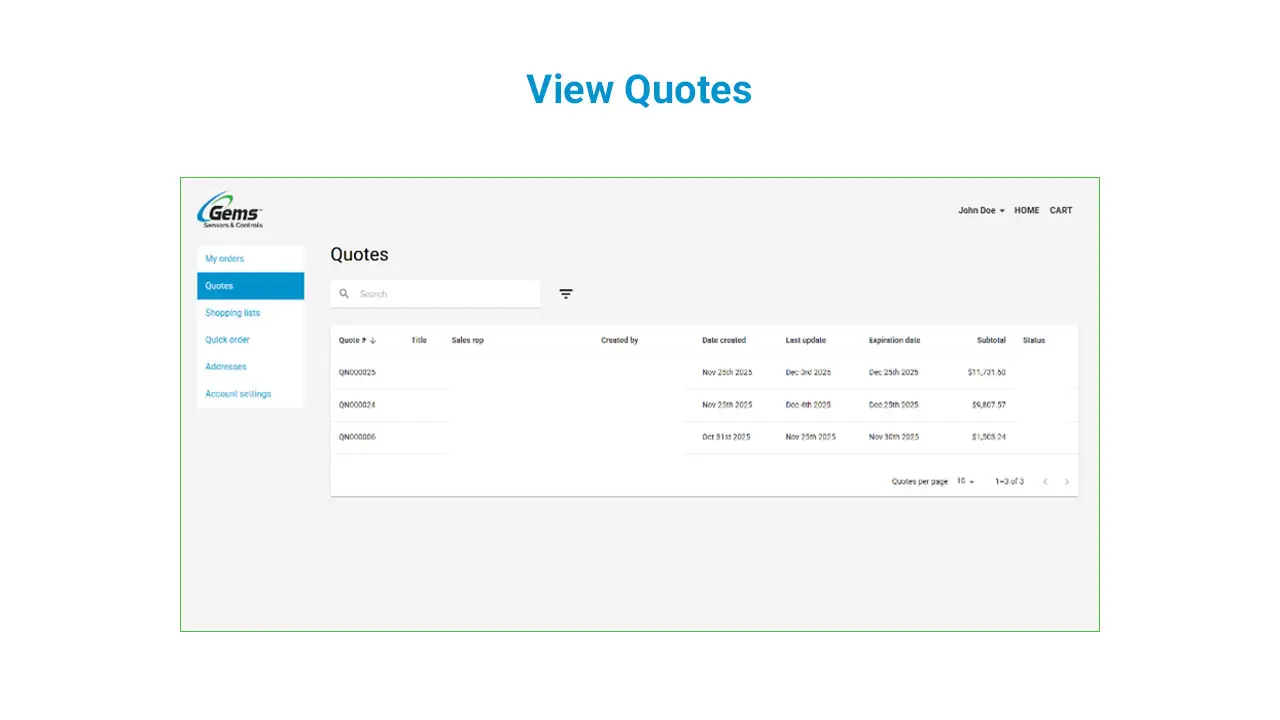
Access Your Orders & Quotes Anytime
Browse order details and revisit quotes whenever you need them.
- Review detailed company order history
- View custom quotes in one complete list
Frequently Asked Questions
How-To Videos
Watch tutorials and walkthroughs to make the most of our platform’s features.